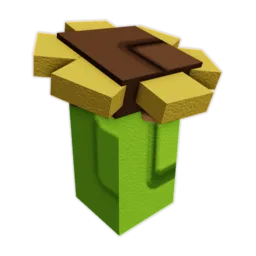
Carrot!
Collect a Carrot for the first time.
Harvest the starter crop; buying a seed alone is not the trigger. Open route
 Grow a Garden 2 Game Wiki
 Roblox badges
Roblox lists 33 badge records for Grow a Garden 2. Start with collecting a Carrot, watering a plant, and placing a prop; treat height, weight, pet, mutation, and event badges as separate routes. A badge record does not confirm a Sheckles or item reward.
Updated October 1, 2026
Badge route planner
Roblox lists 33 badge records for this experience. A badge trigger is not a promise of Sheckles, seeds, or gear; event records may remain listed after their event ends.
0 of 33 marked done on this device
Start with actions that fit an ordinary crop and garden setup.
Collect a Carrot for the first time.
Harvest the starter crop; buying a seed alone is not the trigger. Open route
Water a plant.
Water an existing plant before spending on growth gear. Open route
Place a prop for the first time.
Place one useful prop; opening a crate is a different action. Open route
Get a first pet.
Check the egg cost and keep a seed reserve before hatching. Open route
Hatch an egg.
Hatching is the trigger; merely owning an egg or pet may not count. Open route
Steal a fruit for the first time.
Only try this when the game permits the action; protect your own harvest first. Open route
Treat plant height and fruit weight as two separate progress tracks.
Grow a plant to 10 ft.
Begin the height ladder with a plant whose size you can inspect. Open route
Grow a plant to 25 ft.
Check the plant's height, not the fruit's weight. Open route
Grow a plant to 50 ft.
Keep a successful height route rather than changing crops after every miss. Open route
Grow a plant to 100 ft.
Compare the visible size result before buying another growth tool. Open route
Grow a plant to 500 ft.
Treat this as a later size target; do not drain the seed reserve for one attempt. Open route
Grow a plant to 1,000 ft.
Attempt only after a repeatable height route is working in your garden. Open route
Grow a fruit weighing 5 kg.
Read fruit weight; a tall plant by itself does not satisfy this track. Open route
Grow a fruit weighing 10 kg.
Check the grown fruit before selling it. Open route
Grow a fruit weighing 25 kg.
Compare the next attempt with the weight already visible on your crop. Open route
Grow a fruit weighing 50 kg.
Keep the fruit safe while checking the badge and live sell quote. Open route
Grow a fruit weighing 100 kg.
Protect this late weight target; do not assume a mutation substitutes for kilograms. Open route
Confirm the visible crop state before counting a mutation badge.
Grow a first mutated plant.
Wait for a visible mutation label before recording progress. Open route
Grow a golden fruit.
Check Gold on the fruit; the crop's normal color is not enough. Open route
Grow a rainbow fruit.
Confirm Rainbow on the fruit before planning its sale. Open route
Grow an amber fruit.
Check the live mutation state rather than assuming an event guarantees Amber. Open route
Set an egg budget before chasing a specific pet size or rarity.
Hatch a BIG pet.
Keep the egg route funded; an ordinary hatch is not this size result. Open route
Get a MEGA pet.
Set a hard hatch cap before pursuing a rare size outcome. Open route
Get a Shadow Dragon.
Verify current availability and egg source before spending for this target. Open route
Check that the matching event is live before routing for its badge.
Play during the game's first week.
Historical first-week badge; plan a current badge instead. Open route
Travel to Fall Harvest.
Look for the event destination in the current server first. Open route
Complete a Pilgrim quest.
Confirm the quest giver and live objective before diverting from crops. Open route
Open a Cornucopia.
Check the current event item and contents before spending. Open route
Send an item home with Magic Mail.
Verify that the event action is available before moving a valuable item. Open route
Place a first rake.
Check for the rake in the current event or gear menu. Open route
Summon a Fall Tornado.
Do not hold crops for this until the event action is visible. Open route
Become the Werewolf.
Confirm the event state in your server before planning around it. Open route
Witness a Harvest Moon.
Use weather as a reminder, then confirm the live sky state. Open route
No badge matches that search. Try a shorter name or show all routes.
After the named action, check the badge in Roblox or the game's achievement view before marking it complete here. This checklist stays in this browser; it does not read your Roblox account.
Independent player route
Start with the badge's exact action, not a promised payout. Carrot!, We are so back!, and Builder! fit a normal first session; height, weight, mutations, pets, and seasonal badges need different checks.
Do now, budget for later, or defer recommendation
Start here: Choose a badge action and confirm it in the current game.
Badge action gate
Use the badge's exact verb, choose the matching crop or event route, and require a visible Roblox badge before checking it off.
Collecting a Carrot differs from planting it; getting a pet differs from hatching an egg. Begin with the literal action.
Read ft for plant height, kg for fruit weight, and the actual label for mutations. Keep event badges conditional on a live action.
Open the Roblox or in-game badge view. A personal checklist mark is a reminder, not proof of an account unlock.
Stop when an event action is absent, a pet chase reaches its budget cap, or the attempt would use the next seed's reserve.
Re-read the action and the measured property once; do not repeat an expensive purchase until the current result is checked.
Carrot! is a collect action, We are so back! is a water action, and Builder! is a place action. They can happen during normal garden setup, but one does not stand in for another.
10ft through 1000ft Plant! badges track plant height; 5kg through 100kg Fruit! badges track fruit weight. If a badge misses, inspect the property named in the badge before changing the crop or buying gear.
First Pet! asks for a pet, Egg Hatcher! asks for an egg hatch, and BIG or MEGA require a specific pet result. Check the current egg source and stop cap before spending beyond a first hatch.
OG describes a first-week visit and is historical for a new player. Fall Harvest, Pilgrim, Cornucopia, Tornado, Werewolf, and Harvest Moon records name event actions, but the badge list alone cannot tell you whether the matching event is live now.
Player decision desk
Do now, budget for later, or defer recommendation. Use the checks below to turn the page into a next action.
Choose a situation to see what to check before acting.
Open the next routeIf / then routes
Use the check that matches the state you can see in-game, then open the linked handoff when one is provided.
Worked player checks
These examples show how the same facts lead to different actions when the reserve, timing, or protection state changes.
Planting, buying, and collecting are different steps.
One threshold does not complete the other track.
Use the normal crop route instead of spending for a missing event.
Route checklist
Translate the badge name into one observable move, then verify it before recording completion.
0 of 4 checks doneChoose a badge action and confirm it in the current game. Fast-changing stock, weather, rewards, odds, and values can change after an update.
Carrot! asks you to collect a Carrot, We are so back! asks you to water a plant, and Builder! asks you to place a prop. Do the named action, then verify the badge rather than assuming a purchase or planted seed counted.
Roblox's badge records state the badge triggers, not a guaranteed currency or item payout. Check the current in-game reward display before planning any purchase around a badge.
No. A 25ft Plant! badge concerns plant height, while 25kg Fruit! concerns fruit weight. Read the property of the actual plant or fruit before another attempt.
OG describes playing in the first week, so it is a historical target for new players. Other event records need the matching live event or action; a Roblox badge record alone does not prove today's availability.
Perform the exact action, then confirm the badge in Roblox or the game's achievement view. The checklist on this page is a personal note and does not read your account.
No. First Pet! and Egg Hatcher! are different basic actions. Check the egg route and a spending cap before chasing BIG, MEGA, or Shadow Dragon results.
Roblox lists Egg Hatcher! with awarded badges, but availability can change in the current game. Check whether hatching an egg is possible in your server; do not treat an older availability label as final.
Check the exact verb and result: collecting differs from planting, growing a mutation differs from buying a seed, and getting a pet differs from hatching an egg. Verify the game state once before repeating a costly attempt.