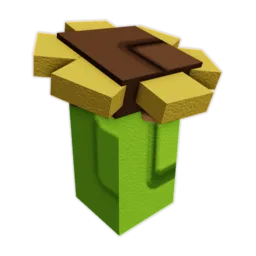
Use the delivered item in the next stock decision.
Open stock plannerRewards
Grow a Garden 2 Codes
TEAMGREENBEAN is reported to grant 3 Green Bean Seeds; current validity is unverified here. You can copy and try it once through Settings → code box → Claim. Read the response and count only seeds delivered to your inventory.
Saved code statusNeeds in-game checkThe last recorded confirmation is stale; compare with the live panel.
Try the reported codeSettings → code box → ClaimCopy is available; current validity is unverified.
Reward proofVisible inventory itemUse the displayed name and quantity before changing your budget.
Updated October 9, 2026
Verify before you spend
What should I do when a Grow a Garden 2 code fails?
TEAMGREENBEAN is a community-reported code for 3 Green Bean Seeds; its current validity is unverified here. Copy it if you want to try it, open Settings, scroll to the code box and select Claim. The game's response determines whether it works; only delivered inventory items change your seed budget.
Code verification desk
Separate a code being listed from a reward being delivered, then send only confirmed inventory into your next seed decision.

Verify before you spend
Code verification desk
Separate a code being listed from a reward being delivered, then send only confirmed inventory into your next seed decision.
Reward checkpoint
Try TEAMGREENBEAN, then use the game's response
The reported reward is three Green Bean Seeds. The last in-game check here was June 13, 2026, so current redemption is unconfirmed. Copy the exact code for one attempt; count the seeds only if the current game accepts it and inventory changes.
Code to verify Needs in-game check 3x Green Bean Seed · reported reward
TEAMGREENBEAN Ready to copy for an attempt. Copying does not confirm that the code is active.
This button copies text only. It does not submit the code, sign in to Roblox, or award seeds.- 01Open SettingsLaunch Grow a Garden 2 on Roblox and open the Settings menu.
- 02Find the code fieldScroll to the bottom of Settings to find the code textbox.
- 03Paste and press ClaimPaste TEAMGREENBEAN exactly, without extra spaces, and submit the exact text once.
- 04Read the resultFollow the displayed response; after acceptance, check the inventory name and quantity.
This Settings → code field → Claim path is community-reported; menu controls may change with an update. If the field is absent, inspect the current Settings controls instead of assuming the code is expired or looking for a list of active codes.
Status ladder
Move a code forward only when the game gives you the next proof
Each status has a different next action. This keeps an unconfirmed reward from quietly becoming part of a seed budget.
Try once in-game, but keep the reward outside your budget.
Review the code checkCheck spelling and experience once, then continue with owned seeds.
Use owned seed routesReward handoff
A reward changes the purchase count, not the proof
If the code gives seeds, remove those exact items from the next purchase list only after they appear. Keep the replant reserve for the crop you still need to buy.
- Count what arrived.Read the inventory quantity instead of relying on the reward label.
- Remove the duplicate buy.Do not pay for the same seed twice because the old plan was never updated.
- Protect the repeat.Use Stock or Seeds to check that one future crop cycle remains funded.
Use one recovery pass
Check the spelling and the current experience/server once. If it still fails, keep the code unconfirmed and continue with the seeds already owned.
Continue with current stockSpend the reward deliberately
Remove the delivered seed from the next purchase plan, then keep enough sheckles for one repeat crop before buying extras.
Plan the next purchaseReported codes stay attempts until the current game accepts them and the expected reward appears. Confirm the live result before planning around any reward.
Redeem failure recovery
Use the message you actually saw
A code list cannot see your Roblox account. Choose the redeem result, make one matching check, and count a reward only after it appears in your inventory.
Choose a result Start with the redeem message
Use one recovery check that matches the message. Do not submit the same code repeatedly while its status or reward is uncertain.
Open the stock planner Keep your own check note
Save the result you just saw with this browser's date and time. The note stays here; it does not change public status or read your Roblox account.
Choose a result you actually saw; “not tried yet” cannot be saved as a verification.
This page does not sign in to Roblox or read your account. The game's response and visible inventory remain the final proof.
After one attempt
Separate a reported reward from a delivered seed
A copied code is not an active-code confirmation. The current response tells you whether it was accepted; inventory tells you what arrived.
Separate a reported code from a delivered reward
Copy is a text convenience and does not confirm validity. The documented Settings code box accepts a manual submission; the actual response and visible inventory decide whether the reported reward can change a seed budget.
When a response does not deliver the reward
For invalid or expired, recheck the current panel, exact spelling, and experience once. For already redeemed or accepted-but-missing, inspect inventory before changing the plan. If the item remains absent, keep the purchase budget unchanged and continue with owned seeds.
Try the reported code through Settings
The community-documented redemption route is Settings → scroll to the bottom → code text box → Claim. Paste TEAMGREENBEAN exactly, submit once and read the response. The page's earlier June 13 in-game note does not establish current validity, and copying text neither redeems it nor confirms a reward.
- Use Grow a Garden 2, not the original Grow a Garden.
- Paste the exact code without leading or trailing spaces.
- If the UI has changed or no code box is present, use current in-game instructions; do not search for an invented list of active codes.
Match recovery to the response
Invalid, already redeemed, accepted-without-delivery, and visible-in-inventory are different states. Choose the response you saw, make one matching check, and stop instead of repeating submissions without new evidence.
- For invalid: recheck availability, spelling, and the current experience.
- For already redeemed: check the inventory before expecting a duplicate.
- For accepted but missing: keep the old budget until the item appears.
Only inventory proof changes the seed route
When the game accepts a code, count the exact items shown in inventory. Remove only those items from a planned purchase; keep the replant reserve and use the current shop for any remaining seed cost.
- Do not use an expected quantity as an inventory count.
- Do not count an unclaimed reward as spendable balance.
- Open Stock after the inventory check.
Keep a personal timestamp without publishing a status claim
The recovery panel can save the response you saw, its date, and its time in this browser. The note helps you avoid repeating the same check; it is not sent to the public code listing and does not read your Roblox account.
- Save only a result you actually saw in the game.
- Use the browser's local timestamp as your reminder, not as proof that the code still works.
- Clear the saved note from the same panel whenever you want.
Redeem outcome map
What should I do when a Grow a Garden 2 code fails? — decision routes
Choose the outcome you actually observe: accepted and delivered, accepted but missing, or rejected in the current reward menu.
Code stateReward checkInventory actionFailure risk
Code stateYou want to try TEAMGREENBEAN
Reward check
The right experience and exact spelling in the code box.
Inventory action
Select Claim once, then read the response.
Open routeFailure risk
Treating a copied or reported code as currently valid.
Code stateThe game says invalid
Reward check
Current experience, exact spelling, and current availability.
Inventory action
Make one corrected retry at most, then stop.
Open routeFailure risk
Repeating a code without a new check.
Code stateThe game accepts it
Reward check
Are the reward name and quantity visible in inventory?
Inventory action
Count only what arrived and update the reserve.
Open routeFailure risk
Budgeting an expected or missing item.
Reward delivery examples
A code is useful only after inventory changes
The examples keep redemption evidence separate from assumptions about what a code should grant.
Correct spelling or spaces once if needed; otherwise continue with current stock and seeds you own.
Reopen inventory once; if still absent, treat delivery as unconfirmed.
Code verification desk checklist
Redeem and verify
A reported code can be tried without claiming that it is active. The game's response and delivered inventory decide the result.
0 of 4 complete
Code verification status
Code status is update-sensitive. A confirmed record still needs an in-game reward check before it changes the player’s budget.
Evidence ledger
How the changing facts are labelled
Use the status beside each fact to decide whether it can change a costly action. Reported values stay scenario inputs until the current game confirms them.
Teamgreenbean StatusActive
Teamgreenbean Reward3x Green Bean Seed
Common Questions
Where do I redeem Grow a Garden 2 codes?
Community instructions describe Settings → scroll to the bottom → code text box → Claim. Paste the exact code, read the response and check inventory for the delivered reward. If the interface has changed, follow the current in-game UI.
Is TEAMGREENBEAN currently redeemable?
Current validity is unverified here; the earlier in-game note is from June 13, 2026. The reported reward is 3 Green Bean Seeds. Copy it if you want to try once through the code box, then let the game's response and inventory determine the result.
Why do some codes say check in-game?
Those entries look like redeemable codes from available game data, but the reward still needs an in-game test before you plan around it.
Should I use codes before buying stock?
Trying a reported code may save a seed purchase if it works. Only the item and quantity actually delivered to inventory should change the shopping list; keep current stock and owned seeds as the fallback.
What should I do if a code fails?
Check the current availability label, exact spelling, and that you are in Grow a Garden 2. Make one corrected retry at most; if it still fails, use the stock you already own rather than repeatedly submitting it.
What if the game accepts the code but the reward is missing?
An acceptance message is not inventory proof. Close and reopen the inventory once, check for the exact item and quantity, and keep the planned seed purchase unchanged if the reward still is not visible.