
Illustrative only. Mutation values are not treated as current confirmed game facts.
Sell quote checker
Grow a Garden 2 Crop Value Calculator
Choose a neutral baseline to model one visible mutation, or use the current Sell Stand quote as-is so the mutation is not counted twice. Compare a scenario with the live per-crop quote before confirming a sale; reported multipliers are checks, not current confirmed facts.
Quote basisBaseline or Sell StandChoose the amount that matches the crop state
MutationOne reported factorCurrent-quote mode never multiplies it twice
ValidationObserved quote checkThe live Sell Stand amount decides the sale
Updated October 9, 2026
Three checks before a sale
Estimate it, then compare the Sell Stand
Keep a normal-crop baseline separate from a quote that already includes the crop’s current state. This prevents a visible mutation from being counted twice.
01 Choose quote 02 Model one state 03 Check the live quote
Try the two modes
Same count, different kind of quote
These figures teach the calculation. They are not measured crop prices, a current Gold result, or a promise that two fruits will have equal value.
Example figures are loaded. Start your own check before using this for a sale.
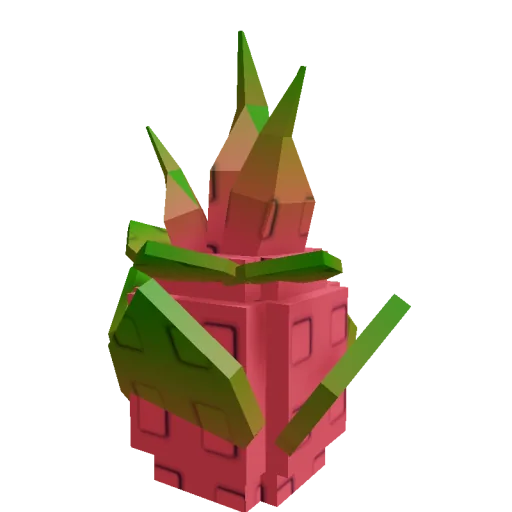
LegendaryDragon Fruit
Seed reference: 120,000 Sheckles / R$239 Estimated total · planning only Enter a quote
Choose the amount that matches the quote basis on the right.
- Per crop
- —
- Quantity
- 1 crop
- Multiplier used
- 1.00×
- Reserve check
- Optional
Sell Stand comparison No observed quote entered
Enter the current per-crop quote to see whether it matches this scenario. The visible in-game quote stays authoritative.
Local comparisonSaved only in this browser
- No scenarios saved yet.
When the numbers differ
Check the inputs before changing the formula
A mismatch is useful evidence that two amounts describe different crop states. Do not keep changing multipliers until the estimate matches a hoped-for total.
- 01
Match the crop
Use the same crop and compare per-crop quotes, not a seed purchase price or a mixed batch.
- 02
Match the state
Confirm the visible mutation on that fruit. If your Sell Stand amount already reflects it, switch to current-quote mode so the multiplier is not applied twice.
- 03
Keep unsupported factors out
Weight, stacked effects, friends, weather, and other boosts are not added here. The evidence on this page does not establish a current combined formula.
- 04
Use the live quote to decide
If an estimate still differs, trust the amount the game shows now. Recheck your next planting reserve before spending the sale.
The visible quote may already include crop state; the calculator deliberately applies no second mutation factor.
Shows what remains after your chosen reserve, not the crop’s profit or a guaranteed payout.
Hypothetical check: a 100-Sheckle normal baseline with two crops and a reported 10× scenario estimates 2,000 total. If the current Sell Stand shows 950 per crop, the estimate is 50 Sheckles higher per crop; verify the crop and visible state, then use the 950 quote for the sale decision.
Separate estimate from observed sale
Does this crop estimate match the Sell Stand quote?
Use a neutral crop baseline to model one reported mutation, or use the current Sell Stand quote as-is. Compare like-for-like per-crop amounts so an already-mutated quote is never multiplied a second time.
Sell quote reconciliation
Choose whether your input is a neutral crop baseline or a quote that already includes its current state. Only baseline mode applies one reported mutation; current-quote mode never multiplies the shown amount again.
A baseline and a Sell Stand quote are different inputs
Use baseline mode only for a neutral-state reference amount from the same crop. If the amount you can read already represents a mutated fruit at the Sell Stand, current-quote mode repeats that value without adding another factor. Seed acquisition price never becomes the sell-value input.
- Match the exact crop.
- Keep per-crop values separate from batch totals.
- Never apply a reported mutation twice.
A mismatch is a state check, not a formula contest
The optional reconciliation compares the estimate with one observed per-crop Sell Stand amount. A difference can mean the crop, quote basis, mutation label, or count is not the same; it is not permission to keep adjusting the multiplier until the display agrees.
- Compare the same fruit state.
- Check the visible mutation label.
- Use the current in-game amount for the sale decision.
Keep gross value separate from the next planting reserve
A large crop total is not automatically spendable progress. Enter the Sheckles amount you intend to keep for the next seed route and the tool shows the remainder or shortfall, without calling it profit or subtracting costs it does not know.
- Choose a current, Sheckles-only reserve.
- Do not mix Robux offers into the crop quote.
- Recheck the shop before committing the sale proceeds.
Leave unverified factors out of the estimate
This tool does not apply weight, stacked mutations, friend effects, weather bonuses, or other boosts. The maintained mutation records are community-reported and dated; if the visible Stand quote behaves differently, the live game has the deciding number.
- One reported mutation scenario at a time.
- A live quote can already include crop state.
- No current first-hand test is claimed here.
Sell timing matrix
Does this crop estimate match the Sell Stand quote? — decision routes
The important distinction is whether an amount is a neutral baseline or a current crop-state quote. Check identical crops and visible labels, compare per-crop amounts, then use the live quote instead of forcing a formula match.
Quote situationWhat to compareSafe next actionMistake to avoid
Quote situationYou have a neutral crop reference
What to compare
Same crop, before the selected mutation.
Safe next action
Model one reported factor, then compare the observed Stand quote.
Open routeMistake to avoid
Treating a community multiplier as current confirmation.
Quote situationThe quote already shows this fruit's state
What to compare
Current per-crop Sell Stand amount.
Safe next action
Use current-quote mode and multiply only by crop count.
Open routeMistake to avoid
Applying the visible mutation again.
Quote situationThe two per-crop amounts differ
What to compare
Crop identity, quote basis, mutation label, and count.
Safe next action
Keep the live quote as the actual sale reference.
Open routeMistake to avoid
Tuning a factor to force a desired result.
Quote situationThis sale should fund another planting
What to compare
Current Sheckles amount to protect.
Safe next action
Compare gross total with the entered reserve.
Open routeMistake to avoid
Calling gross value net profit or mixing currencies.
Worked quote checks
Spot double-counting before the sale
These hypothetical amounts demonstrate the workflow only; they are not a current game price or confirmation of a mutation multiplier.
Illustrates arithmetic only; the multiplier is not a current confirmed game fact.
No mutation factor is added because the displayed amount is used as-is.
This is a budget remainder, not net crop profit or a guaranteed payout.
Sell quote reconciliation checklist
Sell Stand reconciliation
Record one comparable state, then decide whether to sell or keep the next planting funded.
0 of 5 complete
Calculation boundary
Mutation multipliers here are community-reported and update-sensitive; no current in-game test is available. Use the crop’s live Sell Stand quote for the actual sale decision rather than treating a reported factor as a guarantee.
Evidence ledger
How the changing facts are labelled
Use the status beside each fact to decide whether it can change a costly action. Reported values stay scenario inputs until the current game confirms them.
Gold Multiplier10
Rainbow Multiplier30
Common Questions
Can I enter the current mutated Sell Stand quote and apply a mutation too?
No. Choose Current Sell Stand quote to use the shown amount as-is, or choose a normal-crop baseline to model one mutation. Applying a factor to an amount that already includes the visible state can count it twice.
Why does the estimate not use crop weight or stack several boosts?
This tool only models the entered quote, crop count, and one reported mutation scenario. The available evidence does not establish a current combined formula for weight, stacked effects, weather, or other boosts, so the current Sell Stand quote remains the safer decision input.
What should I do if the Sell Stand quote differs?
Recheck the exact crop, whether your baseline was neutral or already changed, the number of matching crops, and the visible mutation label. Keep the current game quote as the sale reference instead of adjusting a multiplier until the numbers match.
Does the reserve result show profit?
No. It compares the estimated gross sale total with the Sheckles amount you choose to reserve for the next planting. It does not subtract all growing costs or guarantee a payout.
Which mutation multiplier should I enter?
Enter the multiplier that is visible on your crop. Common planning checks include Gold 10x, Rainbow 30x, Starstruck 50x, and Bloodlit 60x.
What inputs matter most?
Choose the quote basis first. A current Sell Stand quote already includes the crop's visible state and is multiplied only by the matching quantity. A neutral baseline can model one reported mutation scenario; unsupported weight and boost factors are not applied.
When should I use the calculator?
Use it before selling a heavy crop, a mutated crop, or any harvest that might be worth holding for a better event window.
Should I sell if the estimate looks close?
If the value is close, compare stock needs, weather, and mutation timing before selling. A stronger event can change the best choice.