
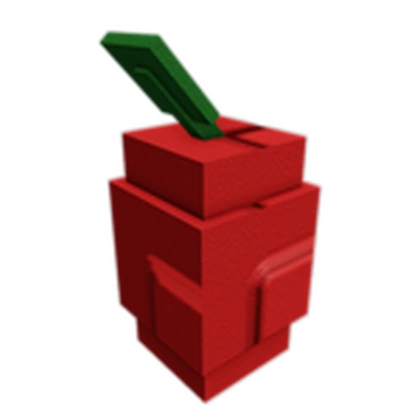
Use the exact Apple seed card, its price and currency, and the balance left after protecting your next seed. Count another sale only after fruit is visibly ready on the same tree and the Sell Stand confirms it.
Crops
Apple
First move
Match an exact Apple card, enter its live price and the next-seed reserve, and buy only if that reserve survives. After planting, record the first sale and wait for visible regrowth before planning around another fruit.
- Reported seed price
- 400 Sheckles
- Reported harvest pattern
- Multiple harvests
- Reported stock figure
- About 52%; not live stock
Apple route
Exact card → reserve cushion → second-fruit proof
A reported shop chance and repeat-harvest tag can look like a ready orchard plan, but neither proves a card or a second fruit on this refresh.
Follow the route
Look for an exact Apple seed card now; a reported stock percentage is not a promise on this refresh.
Use the orchard entry calculator: balance minus live Apple cost must still cover the next known seed. Keep the old crop rather than uprooting it for an untested tree.
After planting, record the first fruit quote and wait for a visible second fruit. Compare total sales and plot time before adding another Apple.
The player either confirms a funded Apple trial and logs actual fruit sales plus visible regrowth, or keeps the existing crop funded without treating a listing as a live offer.
Orchard entry gate
Can Apple fit without spending the next seed?
Apple is commonly listed near 400 Sheckles with a repeat-harvest tag; neither confirms today's shop card or a second fruit. This budget check uses Sheckles only, so skip a Robux-only offer. Protect your next seed and count another fruit only after it visibly regrows.
After one Apple seedEnter exact price
Cash above reserveEnter exact price
No matching live card? Leave Apple out of this refresh and keep your current crop producing.
Second-fruit proof
Did this Apple actually regrow?
Record the quote from each fruit you sell. A repeat-harvest label is only a clue until a second fruit appears on your planted tree.
Fruit sales recorded0 of 2
Seed cost still uncoveredEnter price paid
Enter an actual first-fruit quote after harvest. Do not assume another fruit until regrowth is visible.
Passing the cash gate does not prove Apple is profitable. Compare only observed fruit sales with the exact price paid, then account for waiting time and plot use before expanding. Use Tulip for a lower-entry one-pick test.
Offer / reserve / regrowth
Apple needs three separate proofs
Treat a reported 400-Sheckles listing as a planning clue. The exact card, surviving cash, and a second real fruit answer different questions.
A reported stock chance does not show today's item or price.
Keep the next known seed reserve after one test purchase.
Record a second fruit and real quotes before assigning more plots.
No exact card or no reserve means no buy this refresh, even if Apple is listed elsewhere.
Keep the old crop running, count only observed fruit sales, and return the next purchase to a measured route.
Worked decision
The cash gate passes; the orchard test is still open
Suppose you have 1,000 Sheckles, the live Apple card is 400, and you need 500 for your next known seed.
Decision
One Apple leaves 600 and a 100-Sheckles cushion above that reserve. Try one separate plot only if the exact card is live; record the first quote and wait for a second fruit before reallocating another plot.
Why this route
The arithmetic proves only that the first purchase preserves the seed reserve. It does not prove a second harvest, payback time, or profit.
If the state changes
If Apple costs more than 500 in that example, the 500 reserve fails. If the card is absent, do not buy; if the tree does not visibly regrow, count only the fruit actually sold.
Route picker
What are you trying to do with Apple?
Choose one decision and follow the three checks in order.
- 1 · MatchRead the live Apple name, currency, price, and stock; do not buy from a remembered 52.63% chance.
- 2 · ReserveSubtract one Apple seed and protect the next known seed cost before confirming.
- 3 · ProveKeep the old crop and record Apple fruit sales only after they appear.
If the Apple check does not match
Match an exact Apple card, enter its live price and the next-seed reserve, and buy only if that reserve survives. After planting, record the first sale and wait for visible regrowth before planning around another fruit.
If the item, offer, or result differs, stop before another purchase or sale. Repeat the relevant check above with the current details, then use the linked route that still fits your budget and task.
Page-specific questions
Before you commit
Is Apple in stock because its reported chance is about 52%?
No. The reported chance is not a live stock indicator or a countdown. Open the current Seed Shop and match an Apple card before budgeting for it.
Does Apple always regrow after the first fruit?
Do not budget a second fruit in advance. After the first pick, wait for a new fruit to appear on the same tree and log its own Sell Stand quote before treating Apple as a repeat route.
Can I use a Robux price in the seed-reserve check?
No. This check compares Sheckles only. Use the Sheckles option shown on the current card; if it only shows Robux or the currency is unclear, leave the budget result unused.
When does Apple beat a cheap Tulip loop?
Compare actual Apple sales across observed regrowth with the Tulip sales you could earn over the same plot time. A 400-versus-40 seed price alone cannot answer the value question.
Decision Snapshot
Apple Next Move
Uncommon crops belong in a starter cash route, but Check in-game and sell timing decide whether Apple is safe right now.
Best use Seed budget, starter cash route, crop value, and sell timing.
Risk type starter cash route
Safe move Read the exact live Apple card and keep the next known seed reserve after paying for one test.
If / Then Route
What To Do With Apple
If Check Then Risk
Before buying 400 Sheckles reported Compare the seed cost with your budget and keep enough sheckles to replant. A single expensive buy can block the next stock refresh.
For the starter cash route Uncommon Use it to rebuild sheckles and avoid over-waiting. Holding a low-cost crop too long can slow your next seed buy.
Before selling Weight, mutation, and event state Run the calculator if the crop is rare, heavy, or visibly mutated. Quick selling can miss a stronger multiplier window.
Before waiting Weather, admin timing, and garden safety Hold only when the crop is valuable enough to protect. Waiting without defense can expose harvest value.
After selling Next stock target Move the sheckles into a seed route you can repeat or protect. Profit disappears fast if the next buy is not planned.
Risk Check
starter cash route
Holding a low-cost crop too long can slow your next seed buy. Check stock, value, and defense before making Apple your next route.
Route Checks
Apple Planning Modules
Best Use Case starter cash route
Apple is strongest when you need a lower-risk crop loop that rebuilds sheckles before the next shop check.
Mistake To Avoid Sell or buy riskHolding a low-cost crop too long can slow your next seed buy. Use 400 Sheckles reported and Uncommon as planning checks, then confirm in-game before spending.
Calculator Handoff Before sellingOpen the calculator when Apple is heavy, rare, or visibly mutated so the sell decision is based on value instead of a quick guess.
Defense Note Before waitingIf Apple is expensive to replace or tied to a mutation window, set a defense check before stepping away from the garden.
Session Checklist
Check Before You Commit
- Confirm Apple is actually available or useful in the current session.
- Compare 400 Sheckles reported with your sheckles budget and reserve.
- Use the starter cash route check before making Apple your main crop.
- Open the calculator before selling a heavy or mutated harvest.
- Check mutations and weather if the sell value is close.
- Protect rare or expensive crops before stepping away.
Planning Facts
- Reported seed price
- 400 Sheckles
- Reported harvest pattern
- Multiple harvests
- Reported stock figure
- About 52%; not live stock
- Rarity
- Uncommon
- Status
- Check in-game