
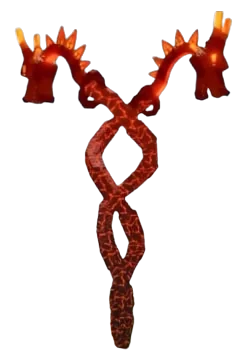
Older amounts, stock notes, and behavior descriptions are not a current offer or a confirmed result on your server. The live item card, crop tooltip, and completed Sell Stand receipt are the usable checks.
Crops
Dragon's Breath
First move
Match Dragon's Breath, its item category, amount, and currency on one current card. Keep Robux separate; for a Sheckles offer, protect the next-seed reserve and use only a completed Sell Stand receipt.
- Item identity
- Confirm the live item category
- Sheckles purchase
- Use the amount on the current card
- Harvest return
- Record one completed Sell Stand receipt
Dragon's Breath route
Match the item card → read its terms → choose the right screen
Older Dragon's Breath amounts and behavior notes may not match this server, so using a remembered Sheckles or Robux amount—or counting an uncollected harvest—can break the next planting route.
Follow the route
Open the current item or Seed Shop screen and match the exact Dragon's Breath name and category before entering a price.
Choose the currency printed on that same card. Compare a Sheckles offer only against your Sheckles wallet and reserve; do not convert Robux.
After a crop is actually harvested, enter one completed Sell Stand receipt. Keep any tooltip-described utility in a separate observation from crop proceeds.
The card identity and purchase currency are confirmed, the next crop reserve remains visible, and any harvest comparison uses a receipt the player actually collected—not a forecast or converted Robux amount.
Dragon’s Breath · purchase / harvest ledger
Does the card you see fit your crop budget—and what did one real harvest return?
Older Dragon’s Breath amounts and behavior notes may not match this server. Use the exact current card and your own completed Sell Stand receipt; this desk never fills in a remembered price or promises future harvests.
- 01Match the itemName · category · tooltip
- 02Protect the routeCurrency · next-seed reserve
- 03Log a real saleOne collected receipt
Current card needed Match the live item before using a price.
Check the current shop A familiar name or remembered amount is not a current offer. Confirm the exact item, category, currency, and amount in-game first.
Use the crop you actually harvested
Record its visible state and completed Sell Stand amount. A reported base value, weight, or multi-harvest claim is not a receipt and does not prove the next fruit will appear.
Do not price an untested effect
If the tooltip describes a defensive use, test one named approach and record an observed result separately. A nearby crop, an unverified claim, or no attack during the test does not prove coverage.
A receipt-count result is only the number of equal-sized observed sales whose total would match the entered Sheckles cost. It is not a harvest forecast, profit claim, growth-time estimate, defense valuation, or promise that the crop repeats. Robux and Sheckles never share a break-even calculation.
Purchase / receipt check
Keep Dragon's Breath cost, crop proceeds, and utility separate
The purchase card answers what the player pays; a completed Sell Stand receipt answers what one crop returned. Neither proves future yield or an unobserved special effect.
Match Dragon's Breath, category, currency, and amount together.
Compare Sheckles only with Sheckles; count one completed crop sale.
Only test what the current tooltip describes; keep the result outside crop proceeds.
The item type or currency is unclear, the Sheckles buy crosses the protected reserve, or the entered sale has not actually been collected.
Reopen the current card, protect the next seed, and return with one observed Sell Stand receipt; use a separate route to test any tooltip-described utility.
Worked decision
A completed sale is not a repeat-harvest forecast
The current card is readable in Sheckles, and one Dragon's Breath fruit has already produced a Sell Stand receipt.
Decision
Compare that single receipt with the exact seed cost and keep the next-seed reserve outside the purchase.
Why this route
One completed sale can show the scale of the cost comparison, but it cannot establish growth time, repeat yield, profit, or defense value.
If the state changes
If the offer uses Robux or the crop tooltip changes, reset the route; do not convert currencies or keep an old receipt as a future guarantee.
Route picker
What are you trying to do with Dragon's Breath?
Choose one decision and follow the three checks in order.
- 1 · MatchConfirm the exact name and crop/seed category on the current screen.
- 2 · ProtectKeep the next seed reserve intact; never convert Robux to Sheckles.
- 3 · DecideUse the ledger only after the full card and currency are visible.
If the Dragon's Breath check does not match
Match Dragon's Breath, its item category, amount, and currency on one current card. Keep Robux separate; for a Sheckles offer, protect the next-seed reserve and use only a completed Sell Stand receipt.
If the item, offer, or result differs, stop before another purchase or sale. Repeat the relevant check above with the current details, then use the linked route that still fits your budget and task.
Page-specific questions
Before you commit
How many Dragon's Breath harvests will repay the seed?
The tool can compare the current Sheckles card amount with one completed Sell Stand receipt. It can show how many equal-sized receipts would match that cost, but it cannot predict how many fruits will grow or whether the crop will repeat.
Can I compare a Robux seed amount with a Sheckles sale?
No. This page deliberately keeps Robux and Sheckles separate. Use the Robux amount only with your own Robux spending limit; use a Sheckles receipt only beside a Sheckles cost.
Does Dragon's Breath protect my garden?
This page does not confirm a defensive ability. If the live tooltip describes one, test a single named approach and record what you actually observe; do not count an untested effect as sale value or guaranteed protection.
What if the item card is not a crop or seed?
Stop before using a crop-value route. Match the current category and tooltip, then use the relevant gear, event, or shop guide instead.
Decision Snapshot
Dragon's Breath Next Move
A currency-separated Dragon's Breath purchase and harvest ledger pairs the exact live item card with the player's own Sheckles reserve and one completed Sell Stand receipt, while keeping any tooltip-described defense observation separate from sale value.
Best use Decide whether the current Dragon's Breath offer fits the next-seed reserve and what one completed harvest actually covered.
Risk type Pause when
Safe move Match Dragon's Breath, its item category, amount, and currency on one current card. Keep Robux separate; for a Sheckles offer, protect the next-seed reserve and use only a completed Sell Stand receipt.
If / Then Route
What To Do With Dragon's Breath
If Check Then Risk
Purchase One live card Open the current item or Seed Shop screen and match the exact Dragon's Breath name and category before entering a price. Older Dragon's Breath amounts and behavior notes may not match this server, so using a remembered Sheckles or Robux amount—or counting an uncollected harvest—can break the next planting route.
Sheckles route Reserve + receipt Choose the currency printed on that same card. Compare a Sheckles offer only against your Sheckles wallet and reserve; do not convert Robux. The item type or currency is unclear, the Sheckles buy crosses the protected reserve, or the entered sale has not actually been collected.
Reported utility Observed separately After a crop is actually harvested, enter one completed Sell Stand receipt. Keep any tooltip-described utility in a separate observation from crop proceeds. Reopen the current card, protect the next seed, and return with one observed Sell Stand receipt; use a separate route to test any tooltip-described utility.
Risk Check
Pause when
The item type or currency is unclear, the Sheckles buy crosses the protected reserve, or the entered sale has not actually been collected.
Route Checks
Dragon's Breath Planning Modules
Purchase One live card
Match Dragon's Breath, category, currency, and amount together.
Sheckles route Reserve + receiptCompare Sheckles only with Sheckles; count one completed crop sale.
Reported utility Observed separatelyOnly test what the current tooltip describes; keep the result outside crop proceeds.
Session Checklist
Check Before You Commit
- Open the current item or Seed Shop screen and match the exact Dragon's Breath name and category before entering a price.
- Choose the currency printed on that same card. Compare a Sheckles offer only against your Sheckles wallet and reserve; do not convert Robux.
- After a crop is actually harvested, enter one completed Sell Stand receipt. Keep any tooltip-described utility in a separate observation from crop proceeds.
- The item type or currency is unclear, the Sheckles buy crosses the protected reserve, or the entered sale has not actually been collected.
Planning Facts
- Item identity
- Confirm the live item category
- Sheckles purchase
- Use the amount on the current card
- Harvest return
- Record one completed Sell Stand receipt
- Observed utility
- Count only a result you saw