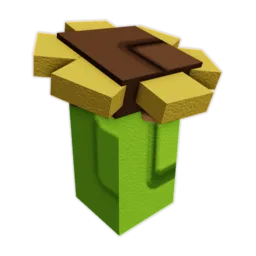

The 1% pack-inclusion and repeat-harvest figures are reported, not confirmed in the current game. The older 5% / 1-in-20 weight example is separate; check today's pack card and the actual plant before acting.
Crops
Ghost Pepper
First move
If the crop is already yours, match its exact inventory name, secure it with a protection option you can verify, and enter a quote only after a completed sale. If you are still considering packs, verify today's listing and cap first.
- Acquisition
- Ghost Pepper Pack reported
- Pack Inclusion
- 1% reported
- Harvest
- Repeat reported
Ghost Pepper route
Confirm the plant → protect the hold → log completed sales
An older pack note reports 1% Ghost Pepper inclusion; it is not a current shop or live-opening check. The separate 5% / 1-in-20 weight example is unrelated to pack odds, and treating either as a promise can push an unnecessary purchase or a rushed sale.
Follow the route
Match Ghost Pepper in inventory before treating a pack result as this crop; a remembered name or rarity label is not an inventory check.
If you plan to keep the plant, use a protection option that is visibly active in your current game. Do not assume a tool or status protects it.
Enter a Sheckles amount only after a sale is completed. Count a second sale only after the same plant visibly regrows; never use crop sales to claim Robux recovery.
The player can show whether the same plant visibly regrew and what completed sales it actually produced, without assigning it a promised yield or a Robux payback value.
One-plant proof log
Confirm the crop, then count only completed Ghost Pepper sales
The repeat-harvest note is a clue, not a promise. Match the exact inventory item, secure the plant with a protection option you can verify in-game, and log a quote only after that sale is complete.
0 completed sales Confirm the exact crop before logging
Open the crop value calculator Do not use the old weight example as pack odds, a current sale quote, or proof of another harvest.
This log adds only Sheckles actually received from this plant. It does not forecast future harvests or convert crop sales into Robux pack recovery.
One-plant proof
Ghost Pepper: confirm regrowth before counting another sale
After the result is in your inventory, stop reasoning from pack examples. Secure the actual plant and count only its completed Sheckles sales.
Not confirmed in the current game; the 5% figure is a separate weight example.
Do not count another harvest until this exact plant produces again.
Sum receipts only; they do not convert to Robux pack recovery.
If the item name is unclear or the plant does not visibly regrow, stop counting extra Ghost Pepper sales.
Use only the item card, visible regrowth, and completed sale receipt from this plant; check the pack offer separately before any new purchase.
Worked decision
A rare result is not a second-purchase signal
A player receives Ghost Pepper inside the pre-set pack budget and sees a 12.0Kg-to-24.0kg example in the record.
Decision
Confirm the actual crop, secure the plot if keeping it, and add a second sale only after the same plant visibly regrows.
Why this route
The weight example does not describe this plant, and a rare inclusion does not make another pack purchase safer.
If the state changes
If the plant does not regrow, remove the repeat assumption. If the pack offer changes, check the pack page before making a new spend decision.
Route picker
What are you trying to do with Ghost Pepper?
Choose one decision and follow the three checks in order.
- 1 · ConfirmMatch the exact item and visible harvest state.
- 2 · ProtectUse a protection option you can verify before leaving the plant.
- 3 · RecordAdd actual sale quotes, not a promised multiplier.
If the Ghost Pepper check does not match
If the crop is already yours, match its exact inventory name, secure it with a protection option you can verify, and enter a quote only after a completed sale. If you are still considering packs, verify today's listing and cap first.
If the item, offer, or result differs, stop before another purchase or sale. Repeat the relevant check above with the current details, then use the linked route that still fits your budget and task.
Page-specific questions
Before you commit
Is the 5% figure Ghost Pepper's pack chance?
No. It belongs to a weight example. The 1% pack-inclusion figure is a report, not a current shop check; verify today's pack screen before spending.
Does Ghost Pepper keep producing after one pick?
An older community table reports repeat harvesting, but it is not a live test of your plant. Count another sale only after the same planted Ghost Pepper visibly regrows.
Should I buy another pack after getting Ghost Pepper?
First measure and protect the crop already received. Another opening is a separate budget decision and should not be justified by a hoped-for x2 weight or future sale.
Decision Snapshot
Ghost Pepper Next Move
A one-plant evidence log gates the second sale behind visible regrowth, totals only Sheckles actually received, and keeps that total separate from Robux pack spending.
Best use After receiving Ghost Pepper, confirm the exact plant, protect it if holding, and record only completed sales from its visible harvests.
Risk type Harvest stop
Safe move If the crop is already yours, match its exact inventory name, secure it with a protection option you can verify, and enter a quote only after a completed sale. If you are still considering packs, verify today's listing and cap first.
If / Then Route
What To Do With Ghost Pepper
If Check Then Risk
Pack inclusion 1% reported Match Ghost Pepper in inventory before treating a pack result as this crop; a remembered name or rarity label is not an inventory check. An older pack note reports 1% Ghost Pepper inclusion; it is not a current shop or live-opening check. The separate 5% / 1-in-20 weight example is unrelated to pack odds, and treating either as a promise can push an unnecessary purchase or a rushed sale.
Same plant Visible regrowth If you plan to keep the plant, use a protection option that is visibly active in your current game. Do not assume a tool or status protects it. If the item name is unclear or the plant does not visibly regrow, stop counting extra Ghost Pepper sales.
Crop sales Completed Sheckles Enter a Sheckles amount only after a sale is completed. Count a second sale only after the same plant visibly regrows; never use crop sales to claim Robux recovery. Use only the item card, visible regrowth, and completed sale receipt from this plant; check the pack offer separately before any new purchase.
Risk Check
Harvest stop
If the item name is unclear or the plant does not visibly regrow, stop counting extra Ghost Pepper sales.
Route Checks
Ghost Pepper Planning Modules
Session Checklist
Check Before You Commit
- Match Ghost Pepper in inventory before treating a pack result as this crop; a remembered name or rarity label is not an inventory check.
- If you plan to keep the plant, use a protection option that is visibly active in your current game. Do not assume a tool or status protects it.
- Enter a Sheckles amount only after a sale is completed. Count a second sale only after the same plant visibly regrows; never use crop sales to claim Robux recovery.
- If the item name is unclear or the plant does not visibly regrow, stop counting extra Ghost Pepper sales.
Planning Facts
- Acquisition
- Ghost Pepper Pack reported
- Pack Inclusion
- 1% reported
- Harvest
- Repeat reported
- Tier
- Mythic
- Status
- Check in-game