
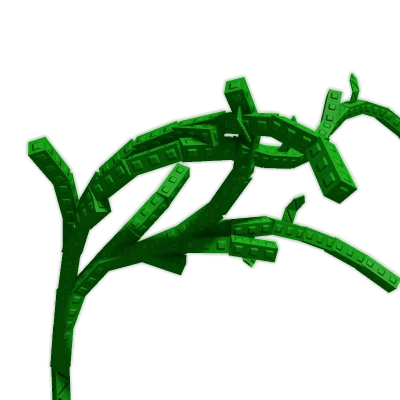
The current entity record identifies Grape as a Fruit and Epic crop but says to check in-game. Older community tables include changing prices, odds, sale examples, and harvest labels; none confirms today's offer or your plant's behavior. Use the live card and your completed receipts.
Crops
Grape
First move
Check that the plot holds Grape, enter the actual Sheckles paid, and add a receipt only after that same plant's fruit has sold.
- Type
- Fruit
- Status
- Check in-game
- Rarity
- Epic
Grape route
One Grape planting → completed receipts → cost recovery check
Epic rarity and an old multi-harvest label cannot show whether this Grape is plantable now, whether it has regrown, or how much its fruit sold for.
Follow the route
Open the live seed card and confirm that it names Grape and shows the crop action you expect. Do not use a saved price or stock chance to infer availability.
After buying, note the Sheckles actually spent and mark one plot or plant so sales from another crop cannot enter the same trial.
Enter a Sheckles receipt only after that plant's fruit is harvested and sold. Keep each completed sale on its own line.
Use the total to check gross cost recovery. A second receipt from this same plant shows a repeat sale in this trial; it does not promise the next one or establish net profit.
You can see whether this planting produced repeated sales and how much of its recorded cost those receipts cover, without treating recovery as net profit.
Grape · one-plant trial
Did this planted Grape return its seed cost?
Log only completed Sell Stand receipts from one identified Grape plant. Older price, stock-chance, and repeat-harvest notes are not proof of what your current server offers or what this plant will do next.
01MatchOne planted Grape 02RecordCompleted sale receipts 03CompareReceipts vs. paid cost
Do not enter a predicted next fruit, a crop-value estimate, or a price from a different plant. Blank lines are ignored; commas in a thousands value are accepted.
Crop not confirmed
Match the receipts to one Grape planting first.
Enter the actual paid seed cost and confirm the crop before counting a sale. The ledger does not estimate future harvests.
Receipts entered0 Entered amount total— Paid seed cost—
Single-plant receipt check
Keep one Grape trial internally consistent
A Grape seed cost and its sales answer a useful question only when each amount belongs to the same identified planting.
Confirm the exact plant on your plot before attributing any receipt.
Use the actual Sheckles spent and sale amounts already credited to your balance.
Check whether recorded receipts cover the seed cost; future fruit is not included.
Pause the total if a sale could belong to another plant, crop, currency, or estimate.
Treat the gap as unreturned cost so far, not a forecast. Keep using the current crop route until another Grape sale is actually completed.
Worked decision
Three receipts from one planting
Example only: the player actually pays 4,000 Sheckles for one Grape seed and later records 1,200, 1,500, and 1,600 Sheckles from that same plant.
Decision
The entered receipts total 4,300 Sheckles, so this trial shows 300 Sheckles more in gross sales than the recorded seed cost. The page does not call that net profit or forecast another fruit.
Why this route
Keeping the receipts attached to one planting reveals whether repeat sales occurred here instead of borrowing an old base value or multi-harvest label.
If the state changes
If a receipt came from a different plot, remove it from this trial. If today's cost, crop card, or sale changes, enter the amount visible for that purchase or completed sale.
Route picker
What are you trying to do with Grape?
Choose one decision and follow the three checks in order.
- 1 · VerifyMatch the current card, currency, and plant action; a remembered listing is not today's offer.
- 2 · IdentifyUse one plot note and the amount actually paid so later sales stay tied to this planting.
- 3 · LogEnter only completed sale receipts from the identified Grape plant.
If the Grape check does not match
Check that the plot holds Grape, enter the actual Sheckles paid, and add a receipt only after that same plant's fruit has sold.
If the item, offer, or result differs, stop before another purchase or sale. Repeat the relevant check above with the current details, then use the linked route that still fits your budget and task.
Page-specific questions
Before you commit
Does an old stock percentage tell me when Grape will appear?
No. A stored percentage is not the current Seed Shop state or a refresh countdown. Read the card on your server and never wait or spend on the assumption that an offer is due.
If this plant sells Grape twice, is multi-harvest guaranteed?
It shows two completed sales attributed to the one planting you identified. It is evidence about this trial only, not every Grape plant or the next fruit.
If receipts exceed my seed cost, is that profit?
Not by itself. The ledger compares gross sale receipts with one paid seed cost; it excludes plot time, other spending, and any future harvest.
Can I enter a calculator estimate before selling?
No. Use only the amount that reached your balance after the same plant's fruit was actually sold. Keep forecasts and another crop's sales out of the receipt list.
Decision Snapshot
Grape Next Move
Epic crops belong in a rare-stock route, but Check in-game and sell timing decide whether Grape is safe right now.
Best use Verification first, then rare-stock route planning.
Risk type rare-stock route
Safe move Check stock and calculator value before committing to Grape.
If / Then Route
What To Do With Grape
If Check Then Risk
Before buying Current seed shop Compare the seed cost with your budget and keep enough sheckles to replant. A single expensive buy can block the next stock refresh.
For the rare-stock route Epic Buy only with enough sheckles left to defend and replant. Rare stock can lock too much budget into one harvest.
Before selling Weight, mutation, and event state Run the calculator if the crop is rare, heavy, or visibly mutated. Quick selling can miss a stronger multiplier window.
Before waiting Weather, admin timing, and garden safety Hold only when the crop is valuable enough to protect. Waiting without defense can expose harvest value.
After selling Next stock target Move the sheckles into a seed route you can repeat or protect. Profit disappears fast if the next buy is not planned.
Risk Check
rare-stock route
Rare stock can lock too much budget into one harvest. Check stock, value, and defense before making Grape your next route.
Route Checks
Grape Planning Modules
Best Use Case rare-stock route
Grape belongs in a protected route where the seed spend, harvest value, and defense plan all fit.
Mistake To Avoid Sell or buy riskRare stock can lock too much budget into one harvest. Use the current shop price and Epic as planning checks, then confirm in-game before spending.
Calculator Handoff Before sellingOpen the calculator when Grape is heavy, rare, or visibly mutated so the sell decision is based on value instead of a quick guess.
Defense Note Before waitingIf Grape is expensive to replace or tied to a mutation window, set a defense check before stepping away from the garden.
Session Checklist
Check Before You Commit
- Confirm Grape is actually available or useful in the current session.
- Compare the current seed shop price with your sheckles budget and reserve.
- Use the rare-stock route check before making Grape your main crop.
- Open the calculator before selling a heavy or mutated harvest.
- Check mutations and weather if the sell value is close.
- Protect rare or expensive crops before stepping away.
Planning Facts
- Type
- Fruit
- Status
- Check in-game
- Rarity
- Epic